Payments
Take every card. Keep the line moving.
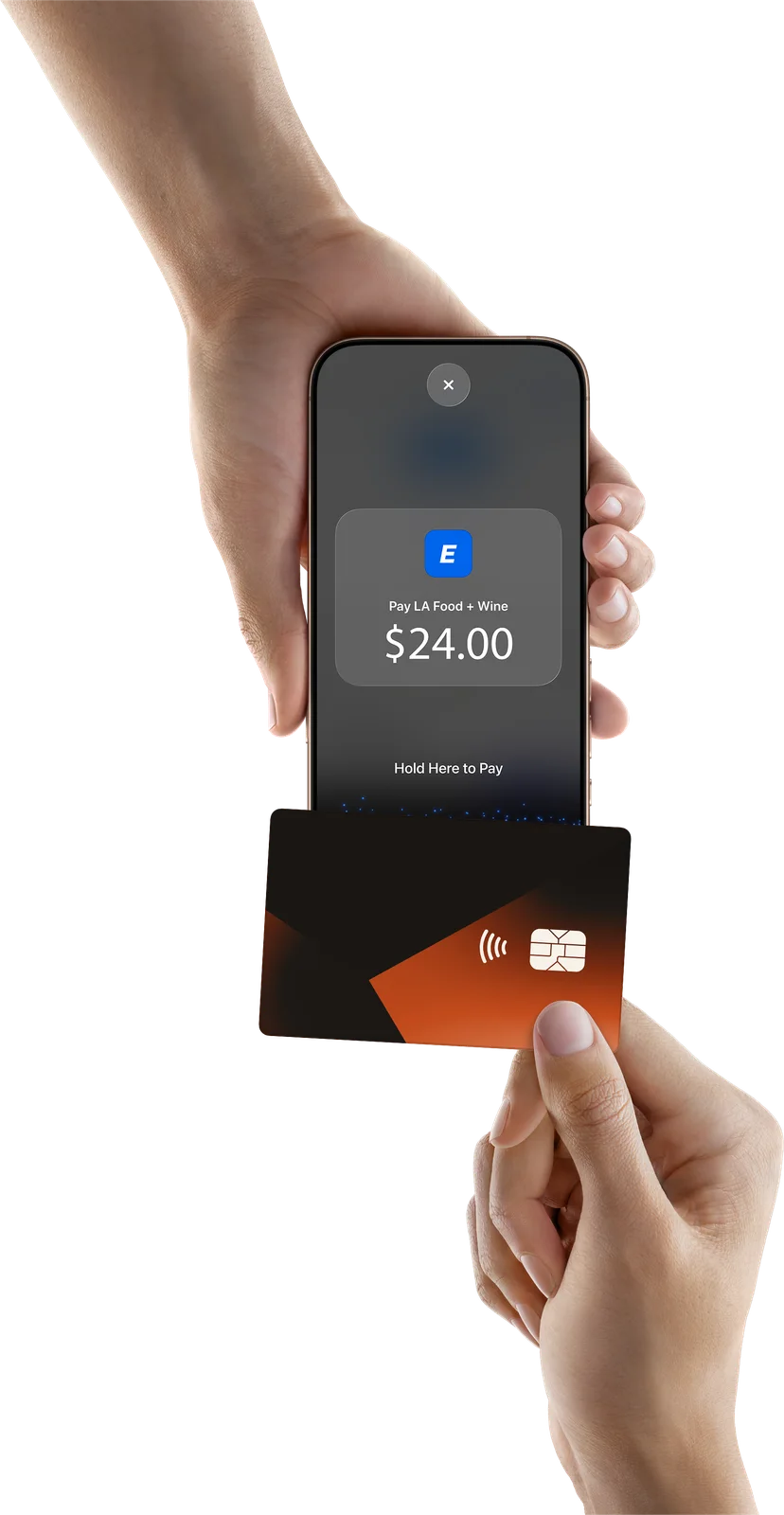
Tap to Pay on iPhone and the mobile card reader, on the same POS as the event wallet. Guests pay the way they pay everywhere else, and every sale lands in Studio.
- 2× Hazy IPA$18.00
- 1× Soft pretzel$6.00
$24.00
Tap, insert or swipe the card on the reader…
$24.00
Scan for your receipt
Or send by text or email
No extra hardware
Tap to Pay on iPhone
Vendors accept contactless cards and phone wallets right on their iPhone, inside the EventPay POS. Nothing to ship, charge, or lose in a field.
- iPhone XS or later, set up once per merchant by an organizer admin.
- The reader warms up when the POS opens, so the first tap of the rush isn’t a wait.
- Extra phones become extra lanes at peak, with no extra hardware.
iPhone, iPad, and Android
Mobile card reader
A pocket Bluetooth reader for the booths that want one, and for every vendor on Android or iPad. Tap, chip, or swipe.
- Vendors pair it from the POS: nearest reader first, or type the serial number.
- Registered to the event’s merchant automatically. No Studio step first.
- Every card reader and Tap to Pay on iPhone on the event is listed in Studio.
Your Fest 2026
$62.50 balance
Scan Payment Code
Web, iOS, and Android
The event wallet, at the same booth
Card and wallet sit side by side on the same POS. Use prepaid credit for VIP packages, drink tickets, pour limits, and sampling, and cards for everyone else.
Tokens or direct pay? →A card sale
Four steps. Then the next guest.
-
01
Ring it up
Items and prices from the vendor’s menu. The card total shows in dollars, with any card fee on its own line.
-
02
Charge the card
Tap to Pay on iPhone, or the paired card reader. The POS remembers which one each booth uses.
-
03
Guest taps
Contactless card or phone wallet, or chip and swipe on the reader. No app, no account.
-
04
Receipt
A QR code on screen, a text, an email, or a printed slip. Declines get a receipt too, so nobody argues at the counter.
For the operator
Cards on your terms. Every one on the books.
Cards on where you want them
Turn card payments on for the event, then on or off by location. Bars on cards, the tasting hall on wallets, if that’s the plan.
Card fees by location
Set a card fee per location, or let the event’s processing fee apply. Guests see it on its own line before they tap.
Approved phones only
Each phone is approved for the event with a 6-digit code, or trust a booth and let its phones straight through. Revoke from Studio.
Every card on the books
Studio Financials splits money by payment type and by reader, alongside wallet sales, vendor by vendor.
Refunds back to the card
Refund an order and the charge goes back to the original card. No cash drawer, no IOUs.
Readers that follow the org
Readers belong to your organization, not one event. Pair once, then reuse them event after event.
Questions
Card payments, answered.
Do guests need the app or an account to pay by card? +
No. Guests tap, insert, or swipe like anywhere else. Scanning their wallet code is optional and only attaches the order to their account.
Which phones support Tap to Pay on iPhone? +
iPhone XS or later on a current version of iOS, running the EventPay POS. Vendors on Android or iPad use the mobile card reader.
What can guests pay with? +
Contactless cards and phone wallets with Tap to Pay on iPhone. On the mobile card reader, guests can tap, insert a chip card, or swipe.
How do vendors set up a card reader? +
From the POS: search for nearby readers over Bluetooth or type the reader’s serial number, then connect. The first connection downloads the reader’s keys and takes a few minutes; after that the phone remembers it.
Do we have to use tokens? +
No. Card payments are priced in dollars and recorded as direct pay. Tokens and prepaid wallets are there for pour limits, sampling, and packages if you want them.
Can vendors print receipts? +
Yes. Star printers on iPhone and iPad, and Bluetooth printers on Android. Guests can also scan a receipt QR code or get it by text or email.
Tap to Pay on iPhone requires a supported payment app and the latest version of iOS. Update to the latest version by going to Settings > General > Software Update. Tap Download and Install. Some contactless cards may not be accepted by your payment app. Transaction limits may apply. The Contactless Symbol is a trademark owned by and used with permission of EMVCo, LLC. Tap to Pay on iPhone is not available in all markets. Apple and iPhone are trademarks of Apple Inc., registered in the U.S. and other countries and regions.
Take cards at every booth.
Book a demo and we’ll show you Tap to Pay on iPhone, the card reader, and the event wallet, set up for your vendors.