
Cashless commerce for live events

On-site payments, built for live events.

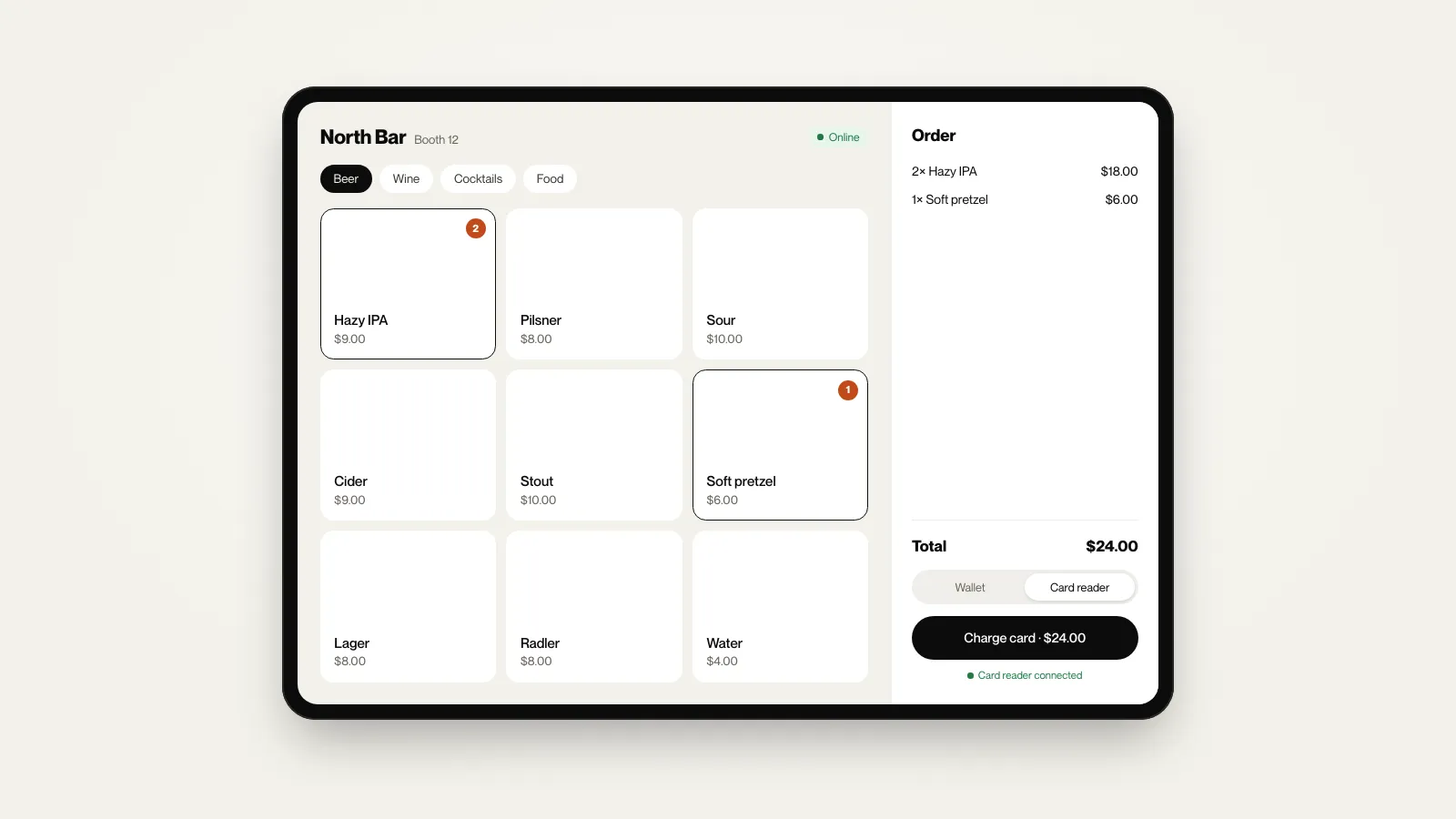
Guests tap a card, a phone, or the event wallet. Vendors sell on Tap to Pay on iPhone or a card reader. Operators see everything.

Trusted by operators at scale

TF25 LAClientClientClientPF19ClientBL Brunch FestBBB18TF25 LAClientClientClientPF19ClientBL Brunch FestBBB18
3M+

Transactions processed

800+

Events powered

500+

Vendor partners

Take payment

Every way guests already pay.

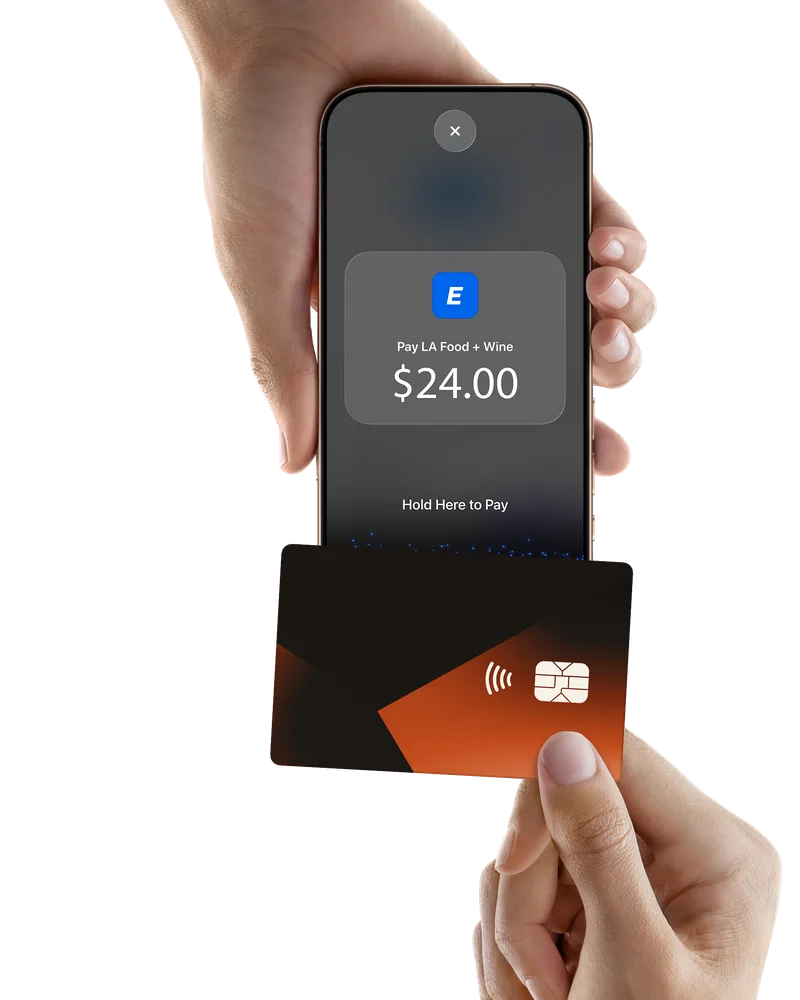
Contactless cards and phone wallets, chip and swipe, or the event’s own wallet. No app or account needed to pay by card.

How payments work →

Tap to Pay on iPhone requires a supported payment app and the latest version of iOS. Update to the latest version by going to Settings > General > Software Update. Tap Download and Install. Some contactless cards may not be accepted by your payment app. Transaction limits may apply. The Contactless Symbol is a trademark owned by and used with permission of EMVCo, LLC. Tap to Pay on iPhone is not available in all markets. Apple and iPhone are trademarks of Apple Inc., registered in the U.S. and other countries and regions.

How money moves

Card, wallet, or both.

Run it like any card-taking event, or add prepaid wallets where they earn their keep. The payment model is an event decision, not a platform limitation.

Card and phone

Guests tap a card or phone at the booth, in dollars, with no app or account. Familiar checkout, receipts by text or email, nothing to explain at the gate.

Festivals, sports, conferences, comedy clubs, venues

Hybrid

Cards at the bars and merch, prepaid credit for VIP and packages. Same POS, same Studio, different rules by zone or vendor.

Mixed-use sites and multi-experience productions

Tokens, when they help

Prepaid wallets for pour limits, sampling, and spend committed before the gates open. An option, never a requirement.

Tastings, sampling, all-inclusive formats

For every team that signs off

One platform, three reasons to say yes.

Operations needs it to hold at peak. Finance needs the numbers to close. Marketing needs something to show sponsors.

Operations

The rush runs itself.

  • Offline POS that syncs every sale when signal returns
  • Vendors onboarded and selling the same day
  • Live sales by booth, item, and hour while gates are open
Why offline mode matters →

Finance

Books close at load-out.

  • Every sale reconciled by vendor, item, and hour
  • Settlement reports vendors can verify, ready for payout
  • Card, reader, and wallet totals side by side, with refunds back to the card
Same-night settlement →

Marketing & sponsorship

Sponsors see the numbers.

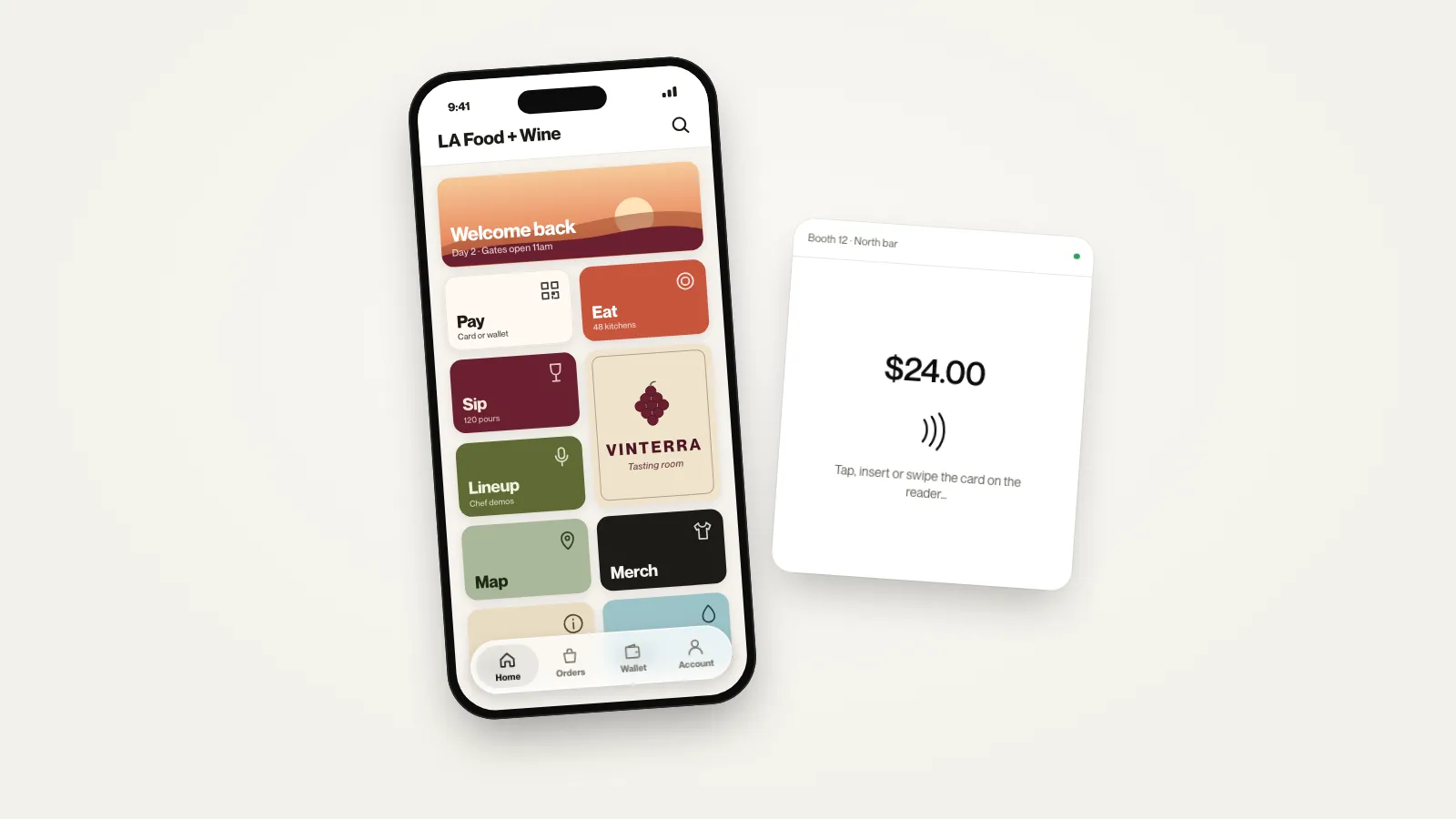
  • Sponsors, maps, and menus inside the event’s own branded app
  • Footfall and spend by zone from real transactions
  • Ticketing, Google Analytics, Meta, and TikTok, all connected
Proving sponsor ROI →
  • TicketLabs
  • Tixr
  • Eventbrite
  • Google Analytics
  • Meta
  • TikTok

Built for operators

Peak volume, zero drama.

When tens of thousands of people want a drink at the same time, checkout still has to work — offline, at speed, at every booth.

Keeps selling when the signal drops

The POS runs on the device through dead zones and outages, then syncs every sale the moment signal returns. Peak hour isn’t a connectivity gamble.

Vendors live the same day

Invite staff, publish menus, and hand a booth a tablet in minutes — no multi-week rollout. Roles and permissions stay with the organizer.

Books that close on teardown

Every sale breaks down by vendor, item, and hour — reconciled and ready for payout, not a week of spreadsheets after load-out.

The event’s app, not a generic wallet

One branded app guests recognize — maps, menus, sponsors, and payment under the event’s own name and look.

Operations data

See where spend actually happens.

Every tap is a point on the map. Heatmaps and journeys help you place vendors, brief sponsors, and plan the next site — not a science project.

Spatial intelligence →

Questions

What operators usually ask.

What is EventPay? +

EventPay is a cashless event payment platform for live events: a branded Wallet, an offline-ready POS, and Studio. Guests tap a card or phone or pay from the event wallet, vendors sell on Tap to Pay on iPhone or a card reader, and operators see live sales.

Is EventPay a cashless payment system for festivals? +

Yes. EventPay handles cashless payments for festivals and events end to end — attendees tap or scan to pay in a branded wallet, vendors run an offline-capable festival POS, and operators reconcile sales and vendor payouts in Studio.

Who is it for? +

Festival and event operators first — music, food, beer, tastings — plus conferences, comedy clubs, and other venues that need a reliable cashless payment system at volume. If you run vendors, bars, or F&B on a site, it is in scope.

Do we have to use tokens? +

No. Plenty of events run card and phone payments only, priced in dollars, like any other card-taking business. Tokens are there when they help: pour limits, sampling, and spend committed before the gates open. Many events run hybrid, with cards at the bars and prepaid credit for VIP.

How do guests pay? +

Guests tap a contactless card or phone on the vendor’s iPhone with Tap to Pay on iPhone, tap, insert, or swipe on a mobile card reader, or scan a QR code from the event wallet. No app or account is needed to pay by card. Run card only, tokens, or a hybrid by zone or vendor on the same POS. Exploring RFID wristbands? Tell us and we’ll talk through options for your event.

Does it work without cell service? +

The POS is built to keep selling offline and sync when connectivity returns. Outdoor sites and packed crowds are the expected environment, not an edge case.

Do attendees need to download an app? +

The EventPay attendee experience is a branded webapp (a progressive web app) or branded app (iOS and Android). Maps, menus, sponsors, and pay — under your brand’s identity. Accessible to all smartphones.

How do we get started? +

Book a demo. We’ll show you Wallet, POS, and Studio set up for your floor plan, your vendors, and how you want to take payment.

Ready when you are.
Book the walkthrough.

See EventPay configured to your floor, your vendors, and how money moves — card, wallet, or both.